
changAIs Docs
changAIs is a VS Code extension for reviewing changes made by AI coding tools. It shows changed files in a diff-focused review flow and attaches AI-generated notes to the lines they describe, so you can inspect what changed before committing.
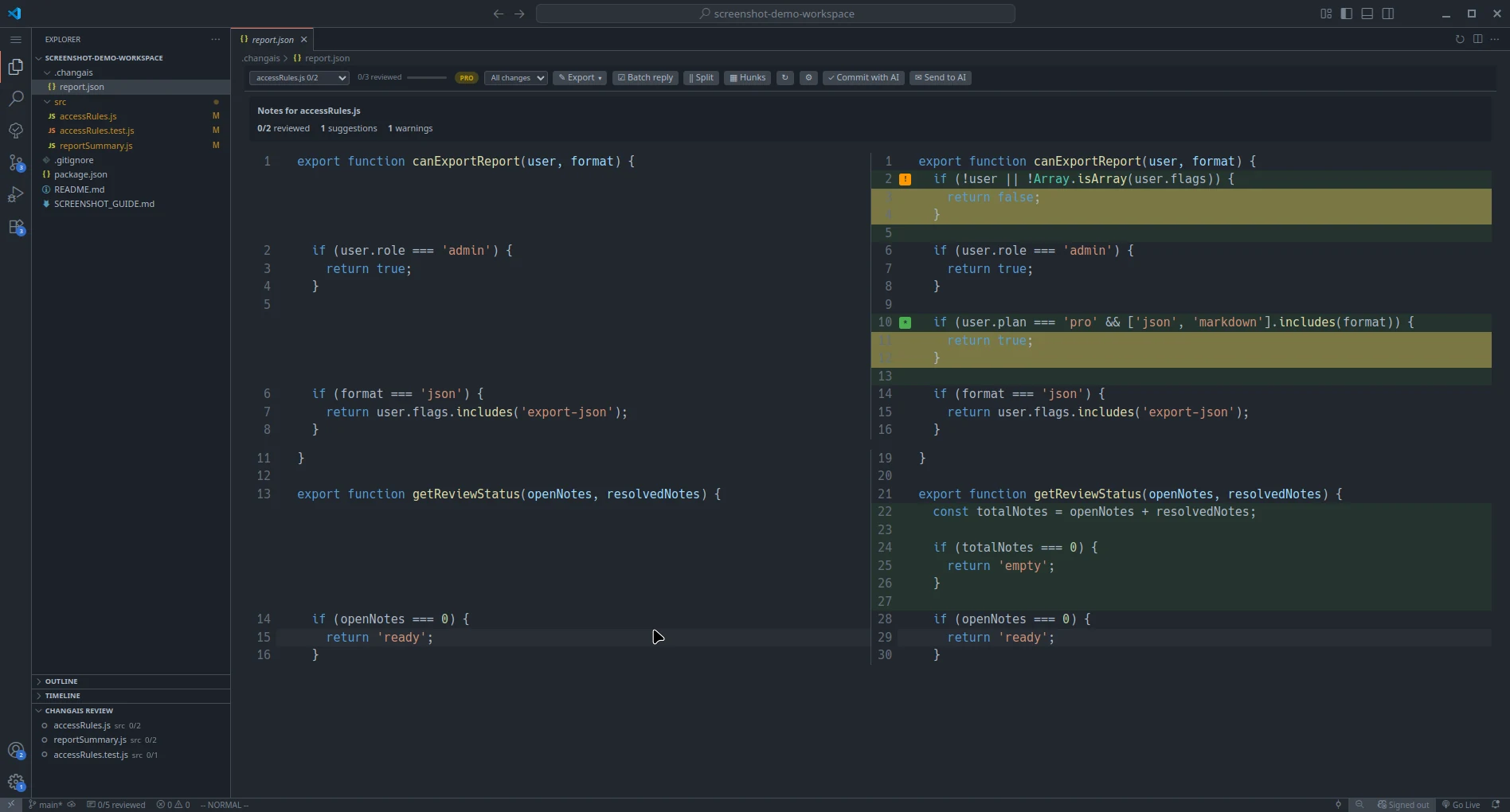
changAIs is focused on individual developers using VS Code or compatible VS Code-based editors. It is an abstraction layer over AI-generated reports and notes: it helps you see and organize what an AI tool produced, but it cannot make that output correct. Treat every AI note, explanation, and suggested change as something to verify before you accept or commit it.
What changAIs Does
Section titled “What changAIs Does”- Shows files changed by an AI coding session.
- Opens changed files in a diff view.
- Displays AI notes near the relevant changed lines.
- Lets you reply to notes while reviewing.
- Lets you mark notes as checked or resolved as you work through them.
- Lets you confirm a bulk review or select notes with checkboxes for a batch reply.
- Lets Pro users ask an installed AI CLI about the selected review and see the answer in the editor; preparing a prompt remains free.
- Helps you understand report files generated by changAIs-compatible workflows.
Supported Editors
Section titled “Supported Editors”changAIs supports Visual Studio Code and compatible VS Code-based editors that can install extensions from a marketplace or from a .vsix file.
Use the Visual Studio Marketplace for VS Code, the Open VSX Registry for VSCodium and compatible editors, or the .vsix install flow in Install when installing from a downloaded package.
Start Here
Section titled “Start Here”If this is your first time using changAIs, follow Getting Started.
If you only need installation steps, go directly to Install.
If you want to see what is planned next, read the Roadmap.
Known Limitations
Section titled “Known Limitations”- Team features, shared dashboards, a standalone changAIs CLI, MCP, and automated approval workflows are not currently included.
- Reports must come from a changAIs-compatible workflow or a file format supported by the extension.
- changAIs does not validate AI correctness. AI notes should be treated as review guidance, not as proof that code is correct.