
Review Notes
Review notes are the core of changAIs. They give you a focused way to inspect what an AI changed and why that change may matter.
Changed Files
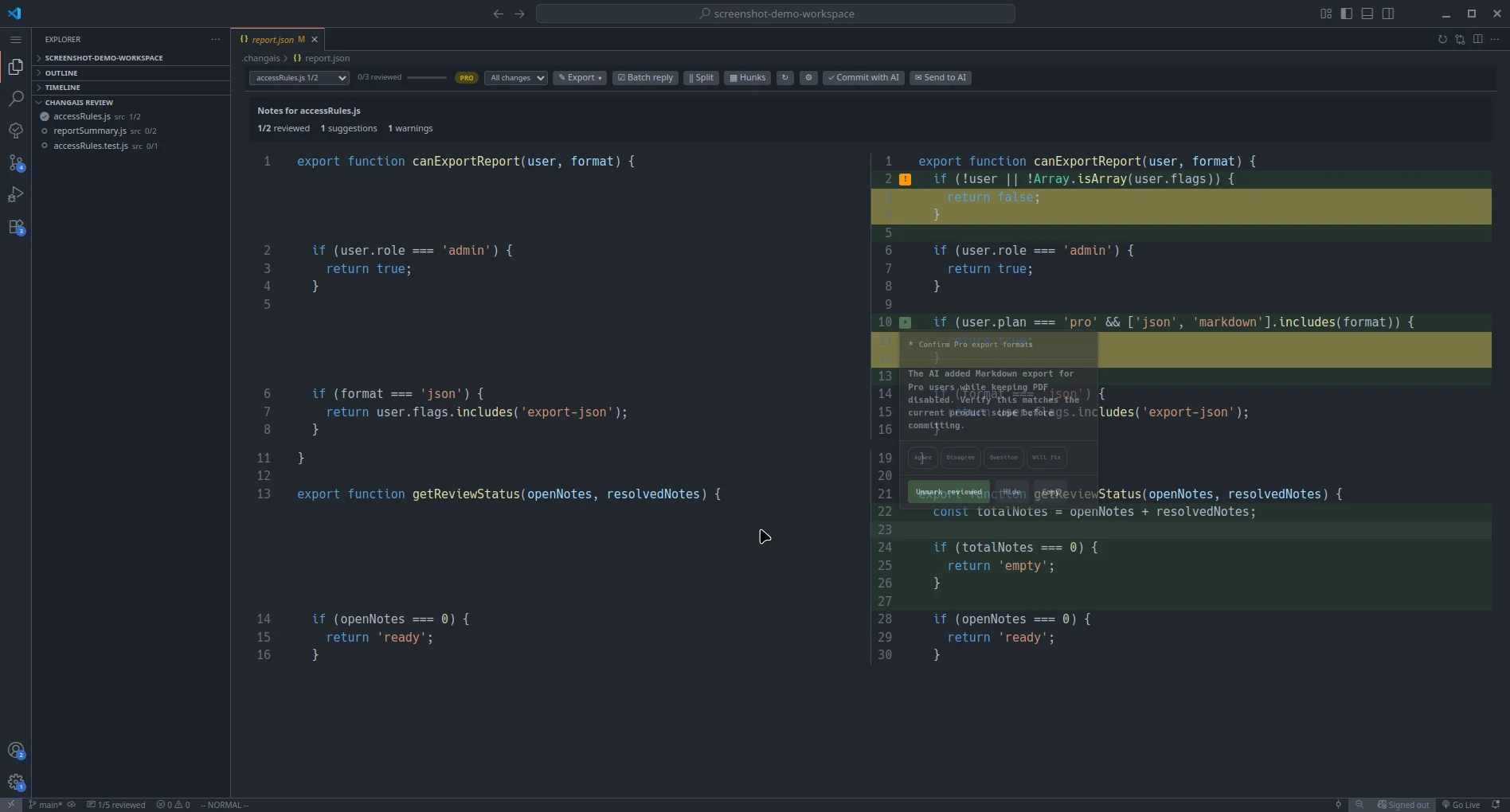
Section titled “Changed Files”Start with the list of changed files. Open each file and compare the before and after state in the diff view.
Files with review notes appear first. Use the previous/next controls to move through the file list; the counters show progress for the selected file and the whole report.
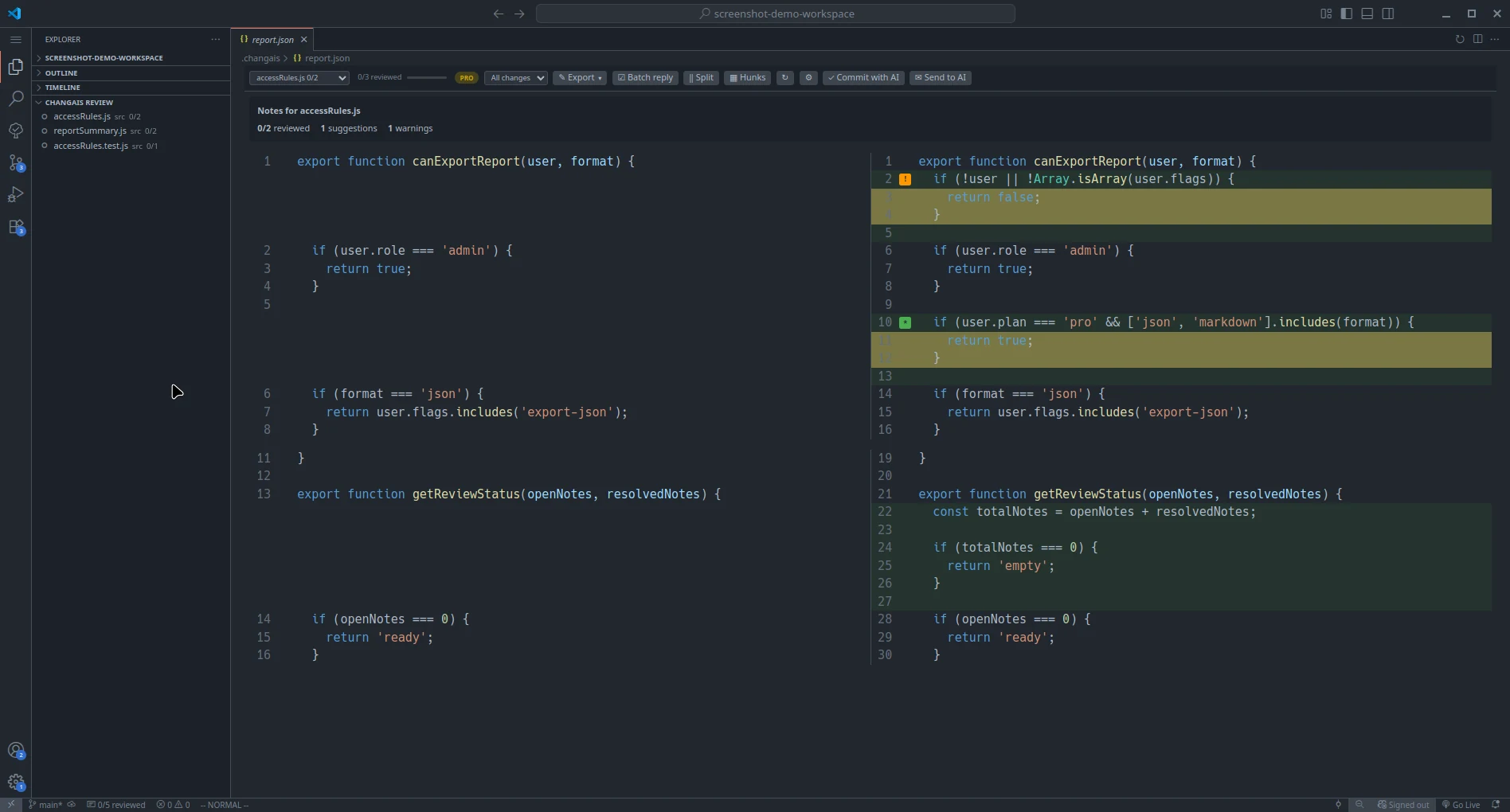
Use this step to answer basic review questions:
- What file changed?
- What behavior might this change affect?
- Is the change small enough to understand?
- Does the change need tests or manual verification?
Diff View
Section titled “Diff View”The diff view shows the previous and current versions of a file. Read the surrounding context, not just the highlighted lines.
Switch between split/unified layout and hunks/full-file view without losing the current diff. Refreshes and view changes use a non-blocking progress bar; when the selected file stays the same, changAIs keeps your scroll position.
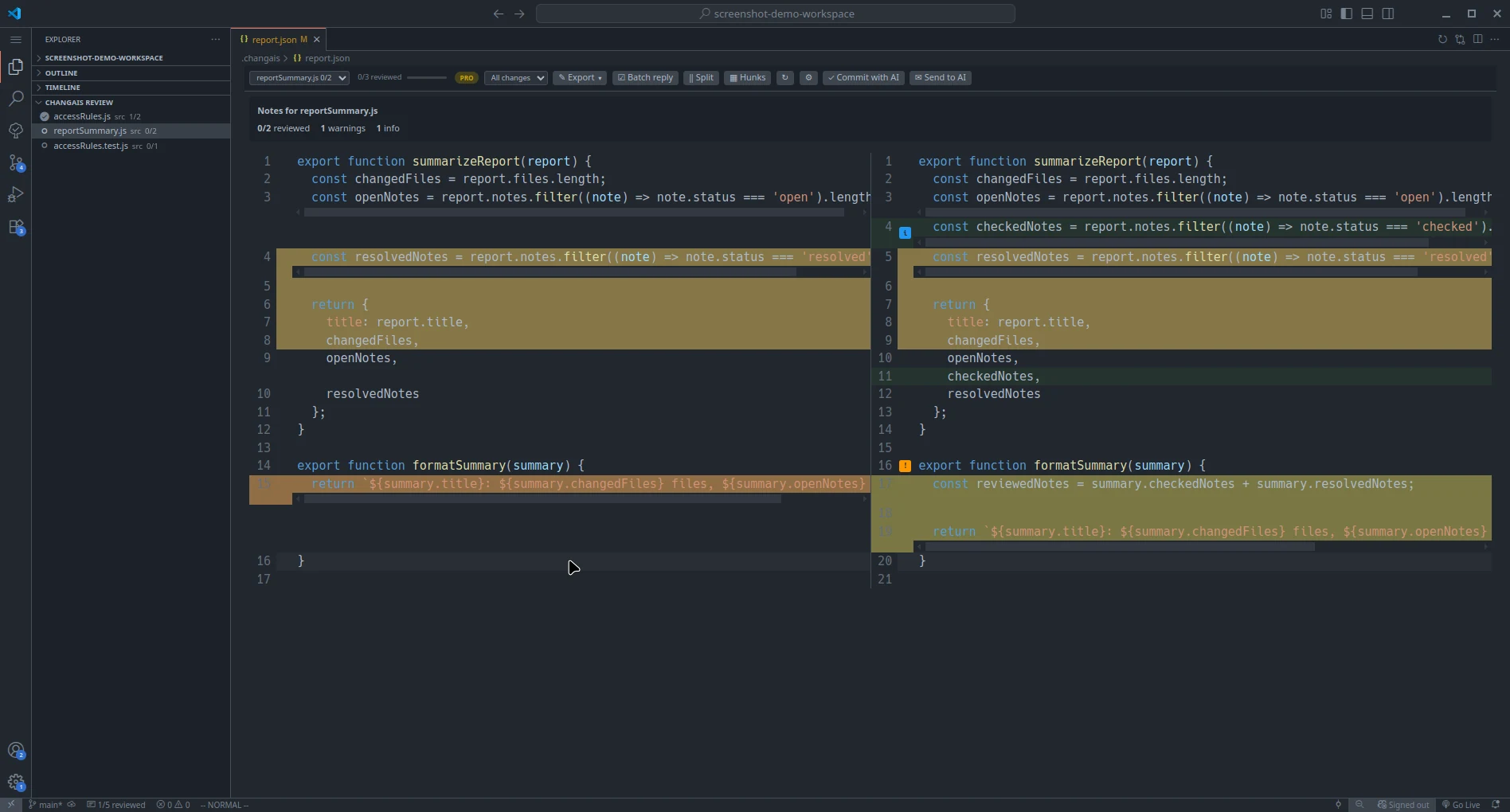
AI-generated code can look plausible while still missing edge cases, error handling, or project-specific conventions.
AI Notes
Section titled “AI Notes”AI notes are pinned to the changed files or lines they describe. A note may explain intent, flag risk, suggest a follow-up, or document a decision made during generation.
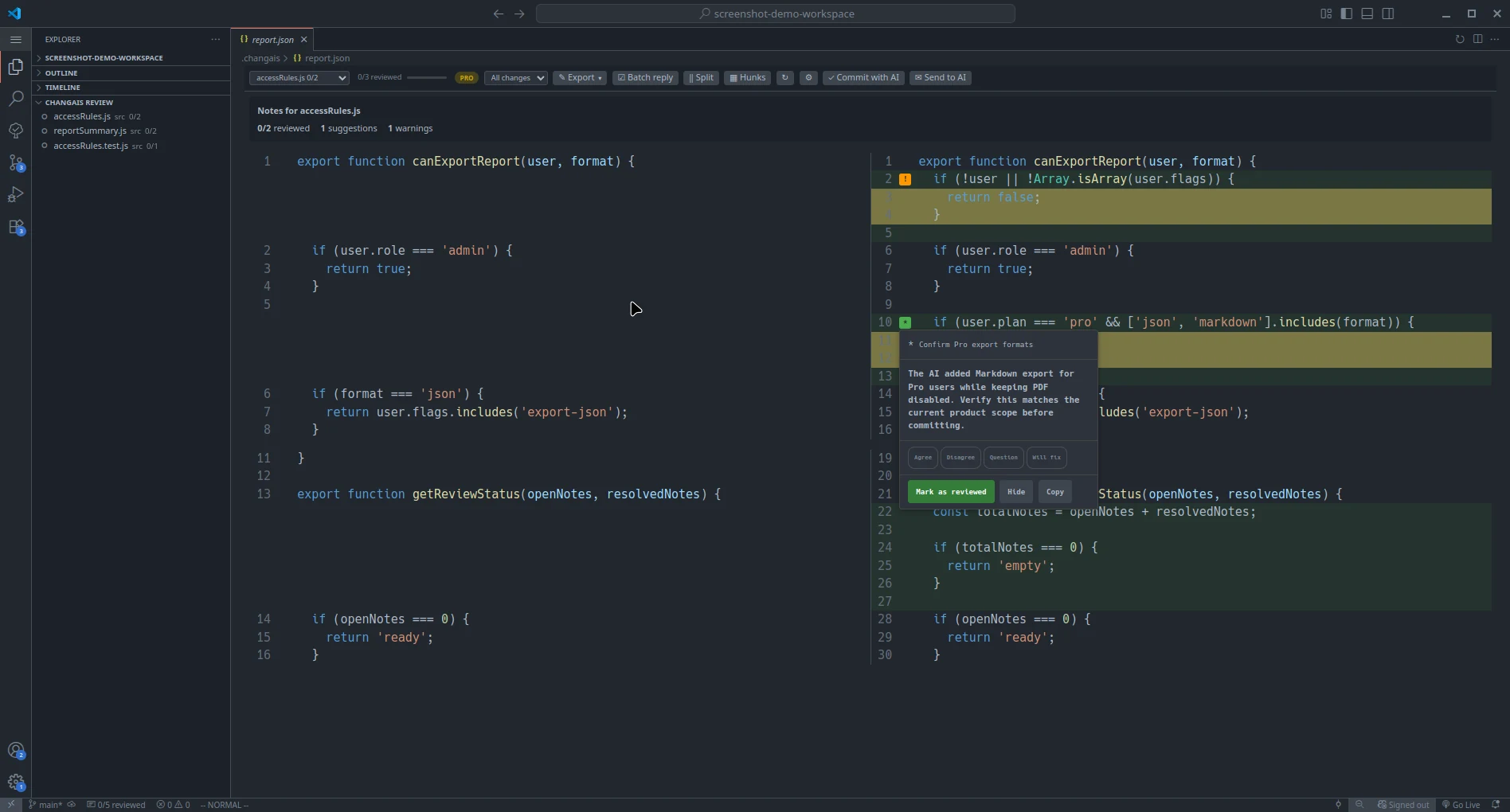
Treat notes as prompts for review. They are not guarantees.
Replies
Section titled “Replies”Use replies to capture your own review decisions or follow-up questions. A reply can be useful when you need to remember why a note was accepted, rejected, or deferred.
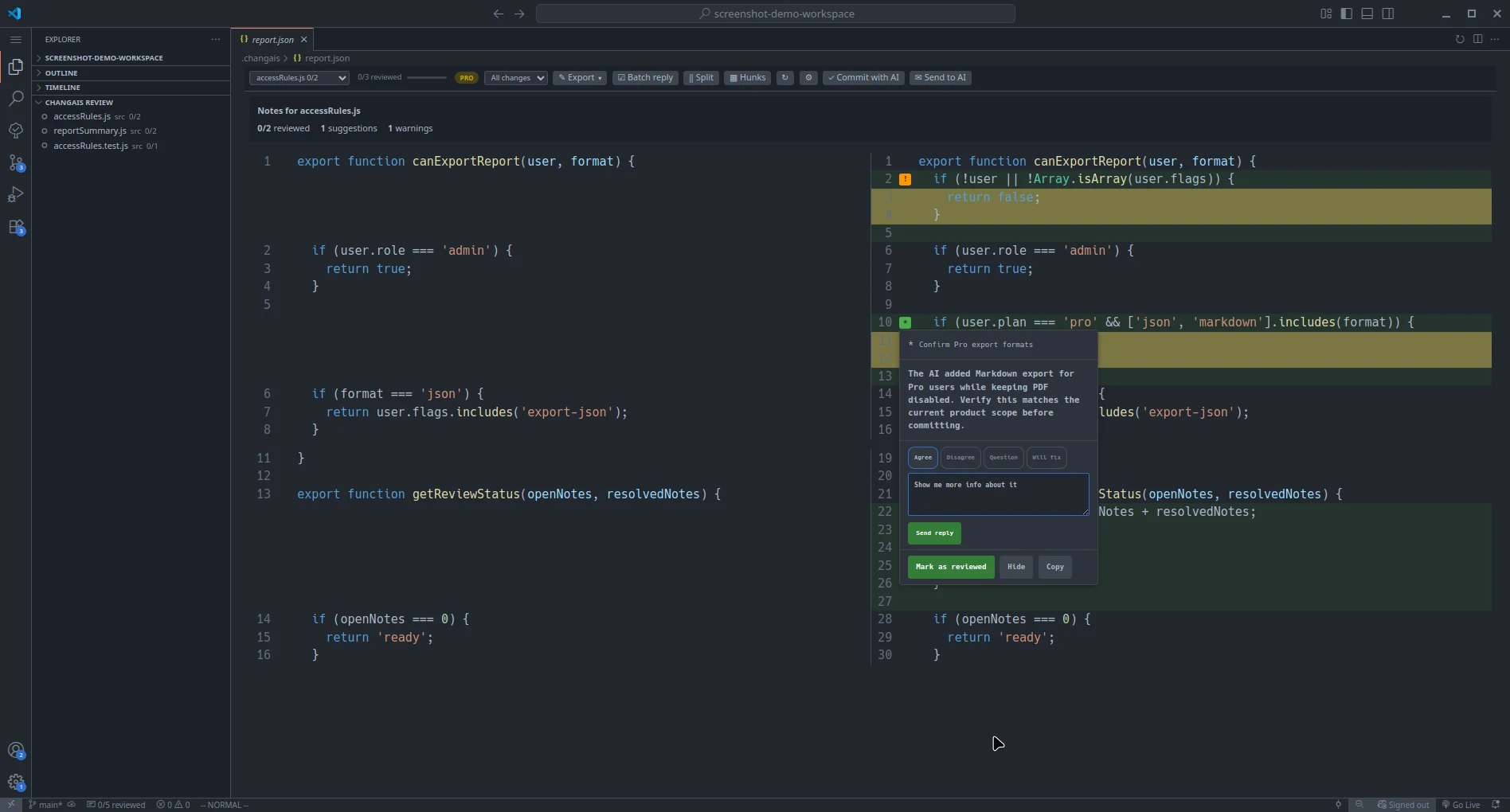
Prepare AI Follow-up Prompt
Section titled “Prepare AI Follow-up Prompt”After adding replies, you can prepare a prompt for your AI assistant.
Use Prepare AI Prompt in the review toolbar, or run changAIs: Prepare AI Follow-up Prompt from the Command Palette. changAIs writes .changais/prompt.md using the current report and replies.
Give that file to your AI assistant and ask it to act on the feedback. The AI should update .changais/report.json with fresh notes after it makes changes.
Ask AI in the review view (Pro)
Section titled “Ask AI in the review view (Pro)”Click Ask AI to enter a question, choose an available installed CLI, and read its answer without leaving changAIs. Supported CLIs are Codex, Claude Code, Gemini CLI, OpenCode, Aider, and Qwen Code. OpenCode provides searchable model choices; OpenCode and Aider also accept a model name, or you can leave the field empty for the CLI default. Only detected CLIs appear, and the selected CLI must already be installed and authenticated.
The question is sent with the selected file’s review notes, replies, and diff context to the chosen CLI. The panel shows the running answer or an error. Cancel stops a running request; closing the panel also cancels it. Ask AI is answer-only and does not intentionally change code or reports. The CLI may send this context to its configured provider and incur provider charges. Prepare Prompt remains available on Free and does not send anything automatically.
Checked and Resolved State
Section titled “Checked and Resolved State”Use checked or resolved state to track progress through the review:
Checkedmeans you looked at the note.Resolvedmeans the note no longer needs action.
To check all remaining reviewable notes in the active report, choose Mark all as reviewed and confirm the warning. changAIs updates the report and progress counters together; invalid notes excluded from review are not marked, and this action is unavailable in history or merged views. Uncheck individual notes if you need to undo it.
For a shared reply, click Batch reply to enter selection mode. Checkboxes appear beside notes and the action bar shows the exact selected count. Clicking a note itself still opens its card. Cancel or clicking Batch reply again clears the selection.
For risky changes, verify behavior with tests or manual checks before marking the note resolved.
Review Habits
Section titled “Review Habits”- Review security-sensitive code slowly.
- Check generated dependencies and configuration changes.
- Confirm that tests still pass.
- Commit only the changes you understand.